Business aviation spring feature showcase
We’ve launched some enhancements to upgrade how your team plans and manages flights. These new features provide pilots with more cockpit capabilities and administrators with greater control behind the scenes.

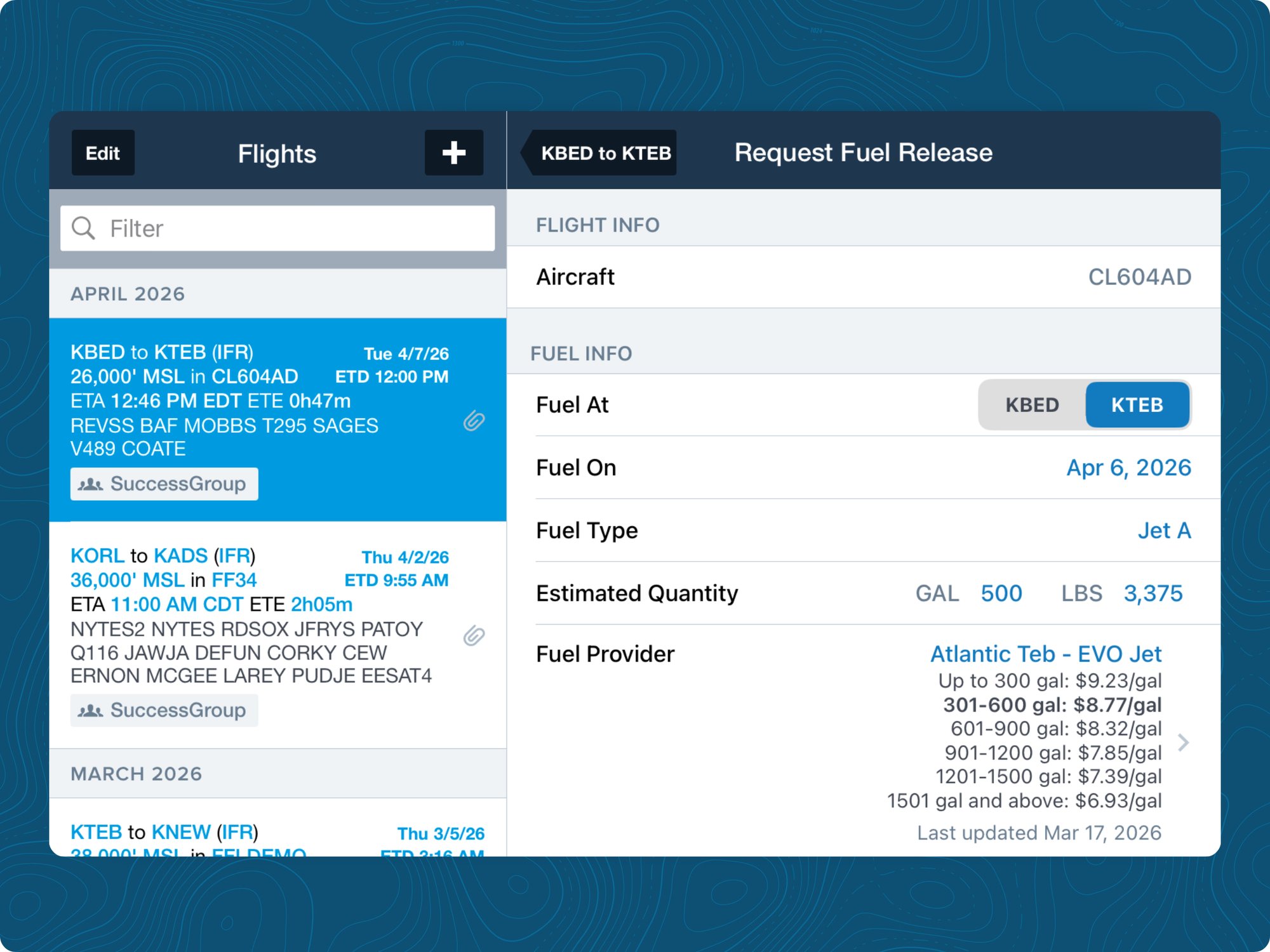
Fuel Releases in Mobile
Pilots can now view and submit fuel release forms directly in ForeFlight Mobile to tighten the loop between planning and execution. JetFuelX is now available for all Business subscription levels.
How to request a fuel release:
- Open the Flights tab
- Select the upcoming flight
- Scroll to Services
- Tap Fuel Release
- Enter the required information
- Tab Request Fuel Release
Enhanced aircraft privacy with Smart Groups
Smart Groups allow administrators to organize users, aircraft, and documents into flexible groupings that mirror the structure of an operation. Unlike Sub-Organizations, Smart Groups support overlapping membership. Users, aircraft, and documents can each belong to multiple groups simultaneously.
.png?width=2000&height=1500&name=Blog-images_2400x1800%20(11).png)
New aircraft supported in Runway Analysis
Aircraft Name
Hawker 800XP
Manufacturer
Hawker Beechcraft
ICAO
H25B
Runway Analysis
Yes
Aircraft Name
Bombardier Global 8000
Manufacturer
Bombardier
ICAO
GL7T
Runway Analysis
Yes
Aircraft Name
Gulfstream G500
Manufacturer
Gulfstream
ICAO
GLF5
Runway Analysis
Yes
Even more tools at your fingertips
Alternates on the Map
Adds support for selecting alternates from the Maps view, and preserving selected alternates when flights are sent from Flights to Maps. Selected alternates are shown in both the FPL Edit view and directly on the map via dashed lines.
Tabbed Documents
Adds tabs to documents so you can have multiple documents open at once and easily jump between them.
